STEP 01
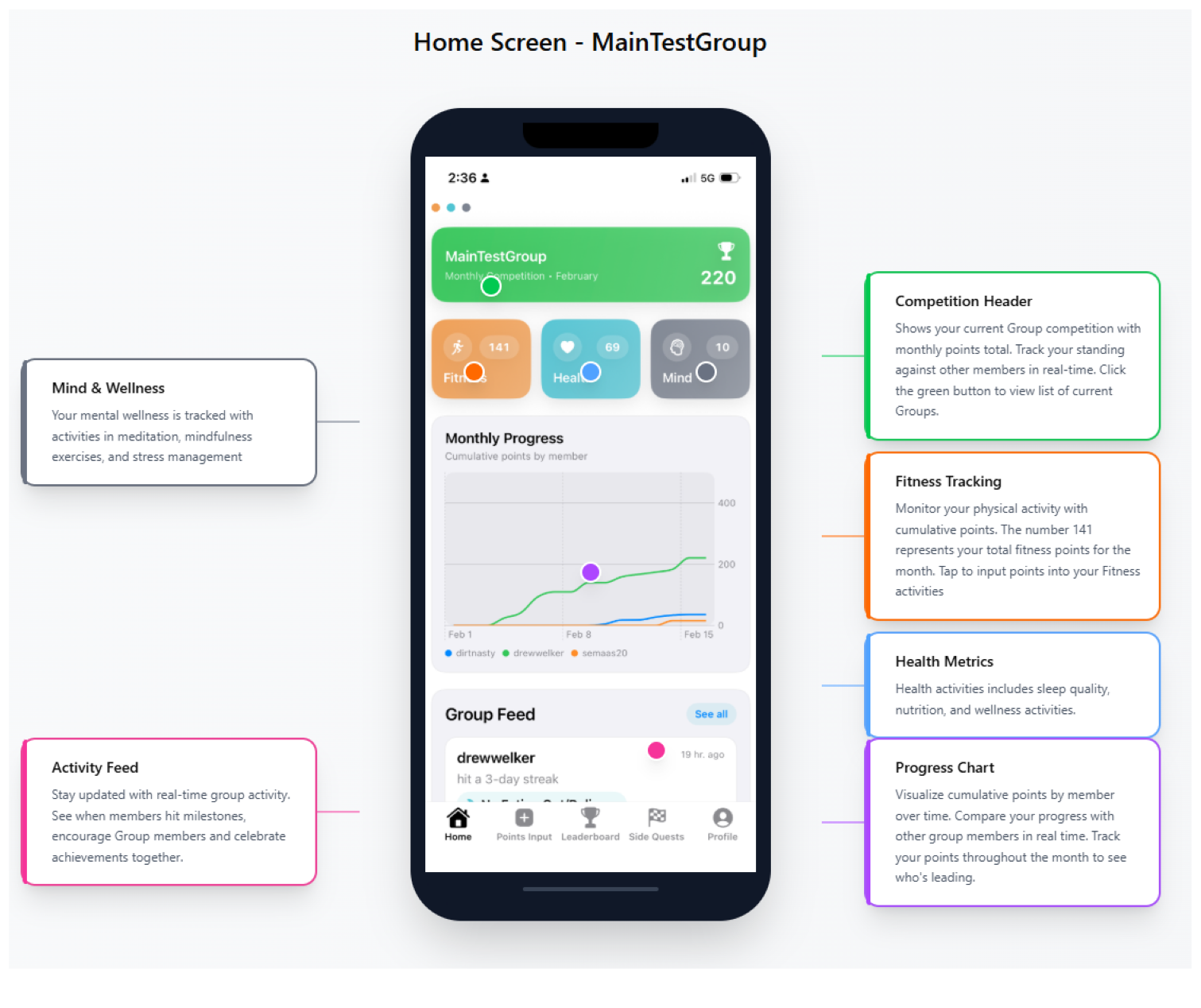
Home screen
Your competition, progress, categories, and group activity at a glance.
 PEAK
PEAKPEAK PURSUIT GUIDE
A visual walkthrough of the app, from joining your first group to creating custom challenges.
STEP 01
Your competition, progress, categories, and group activity at a glance.
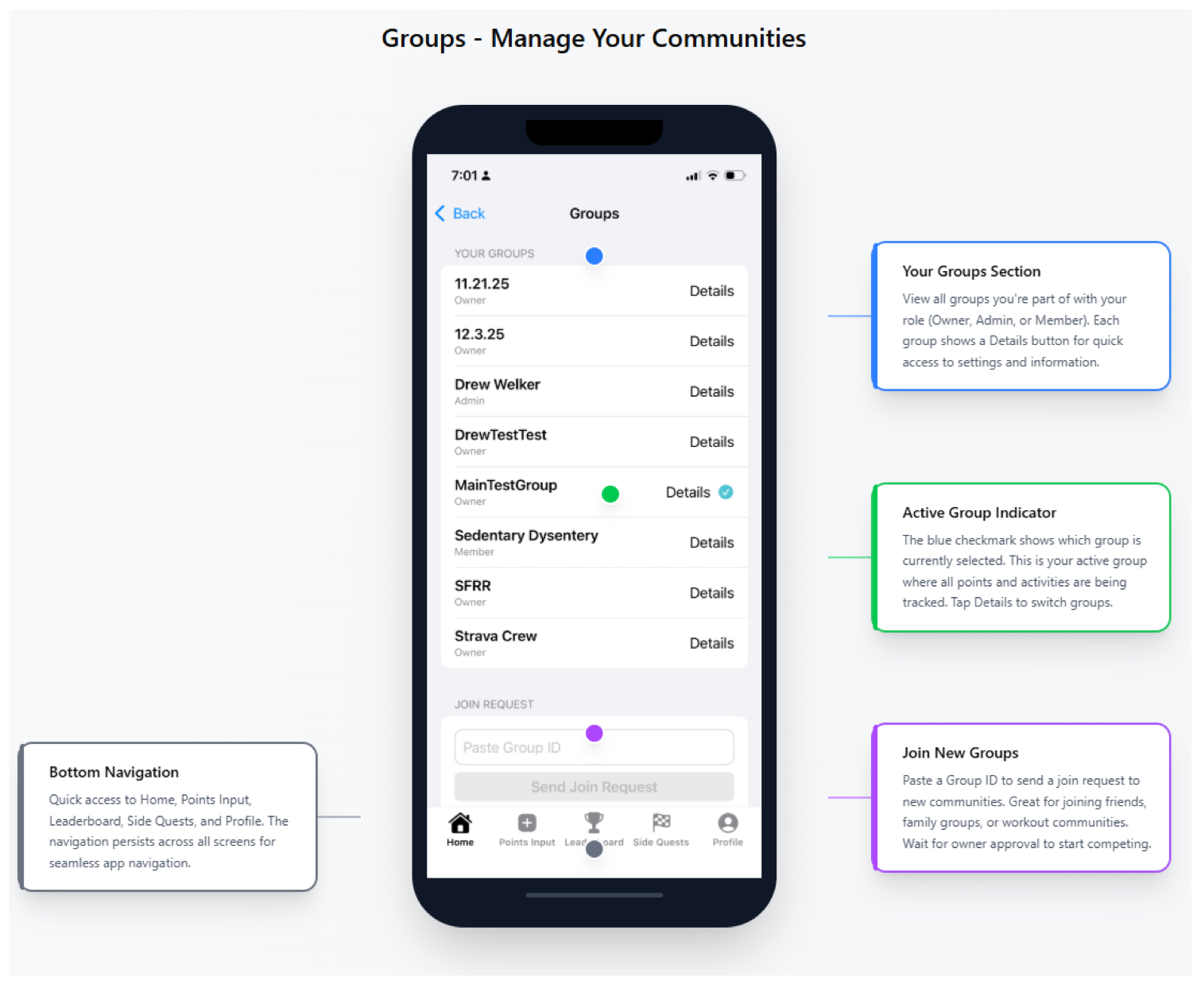
STEP 02
Create, join, switch, and manage your communities.
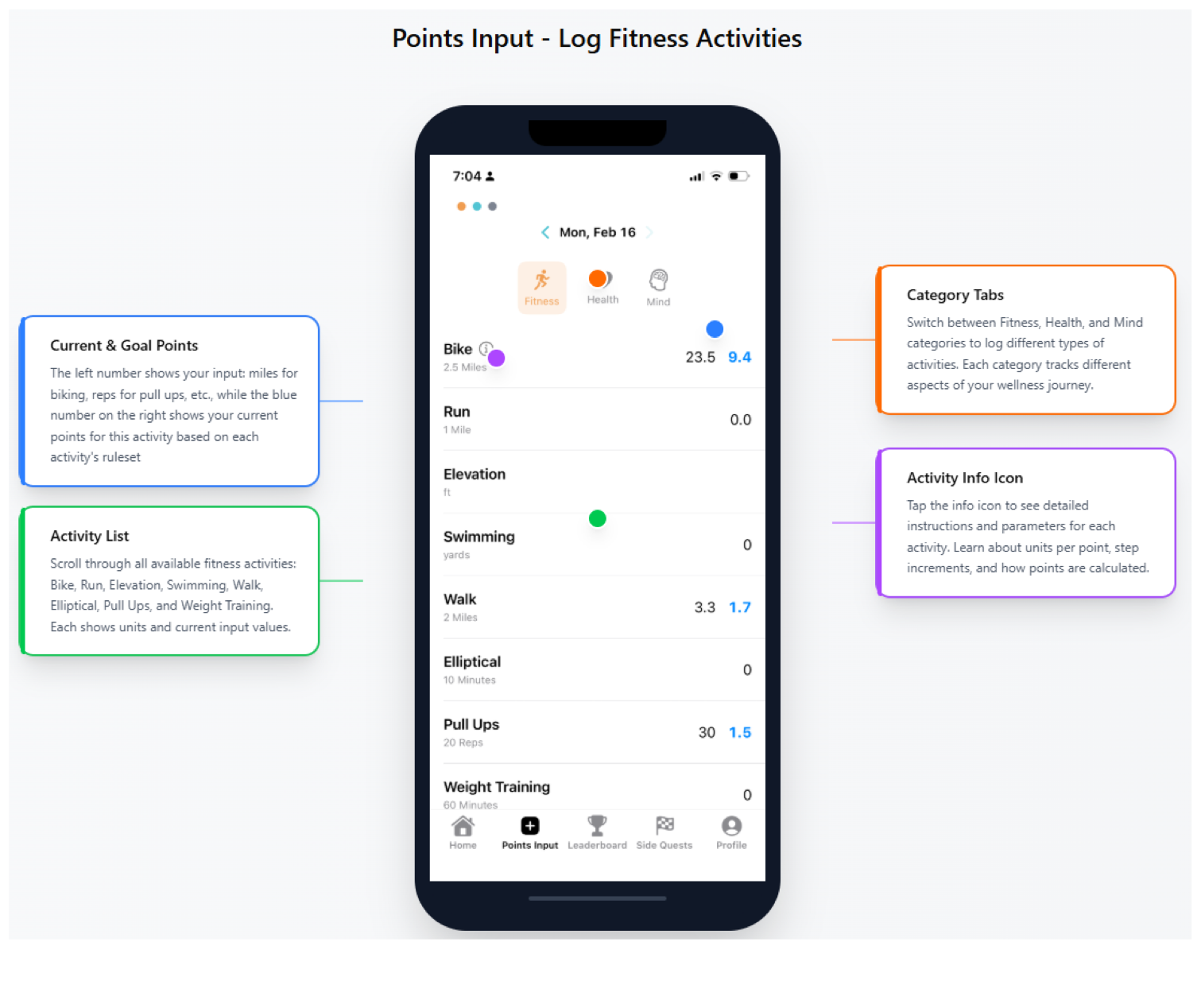
STEP 03
Add workouts and understand current and goal points.
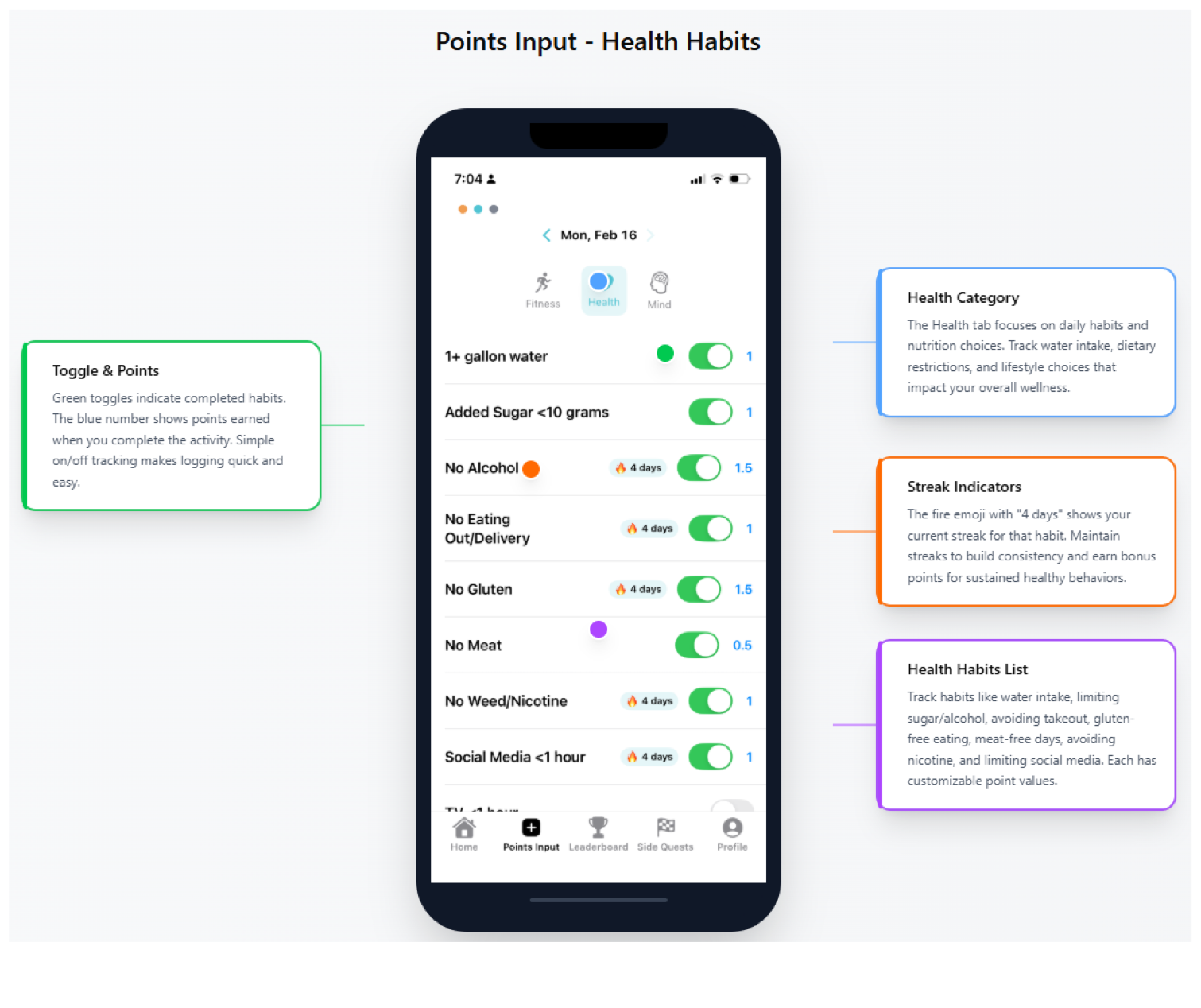
STEP 04
Check off daily habits, follow streaks, and earn points.
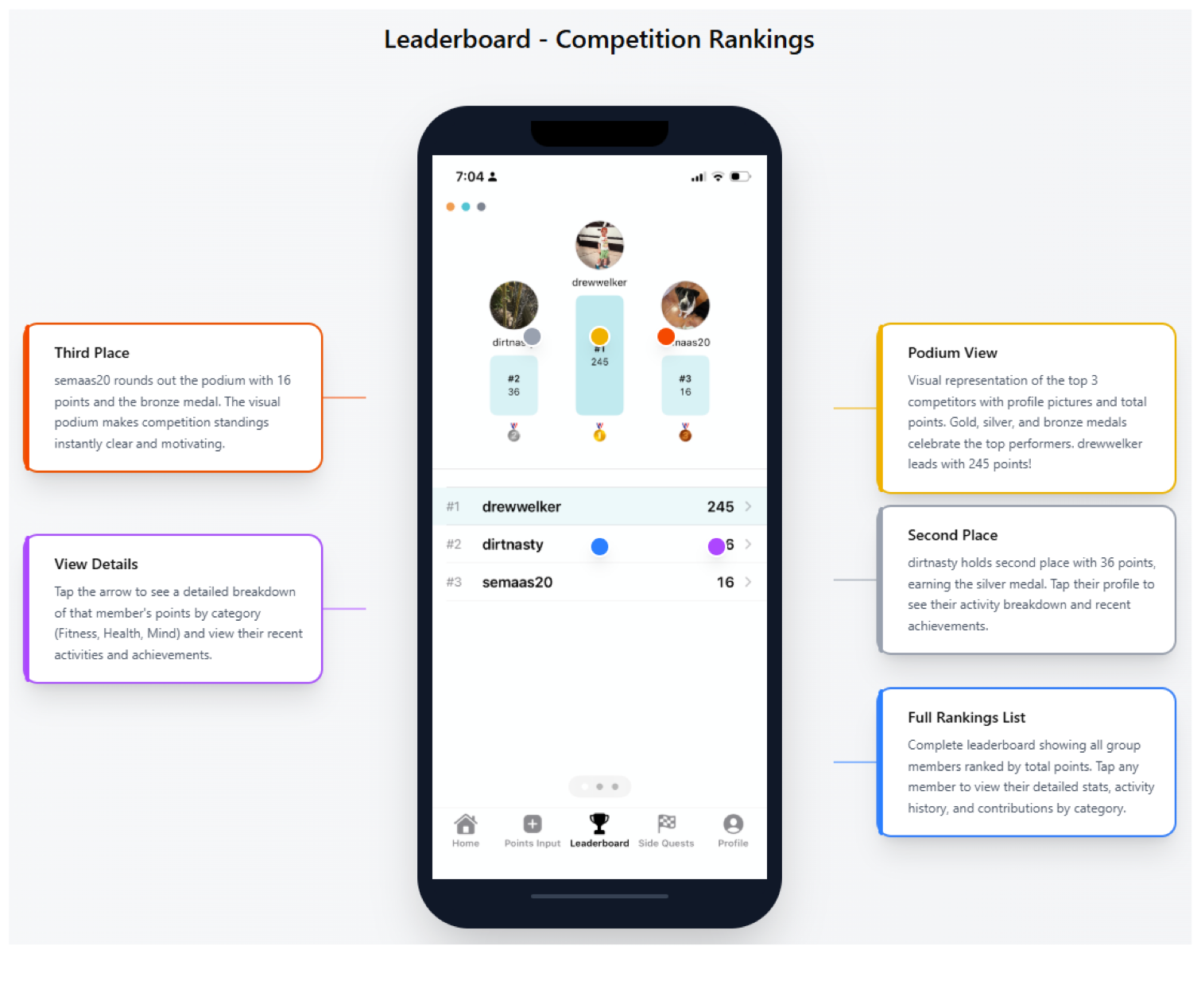
STEP 05
See rankings, podium positions, and each member’s details.
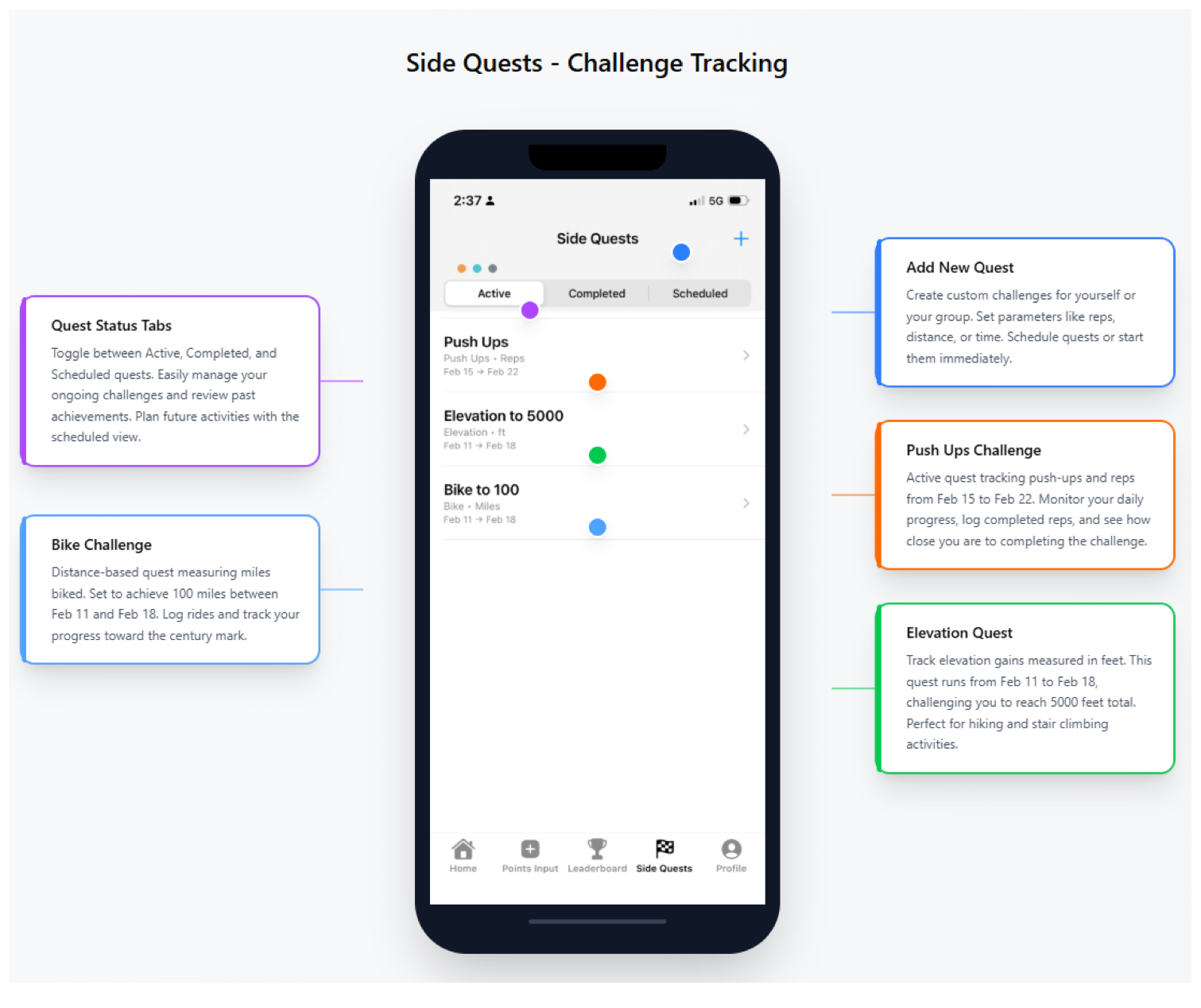
STEP 06
Track active, completed, and scheduled challenges.
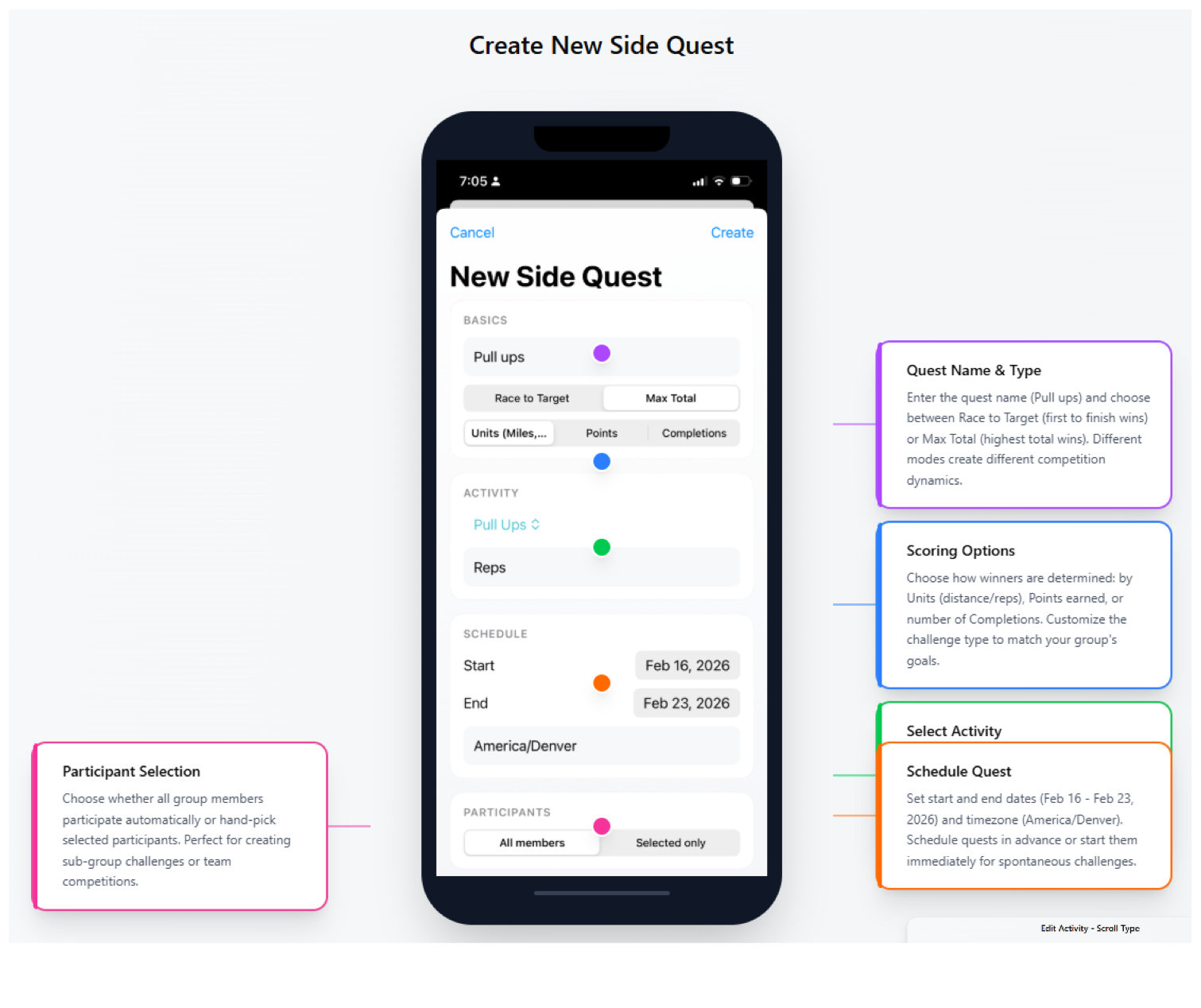
STEP 07
Choose the activity, scoring method, schedule, and participants.
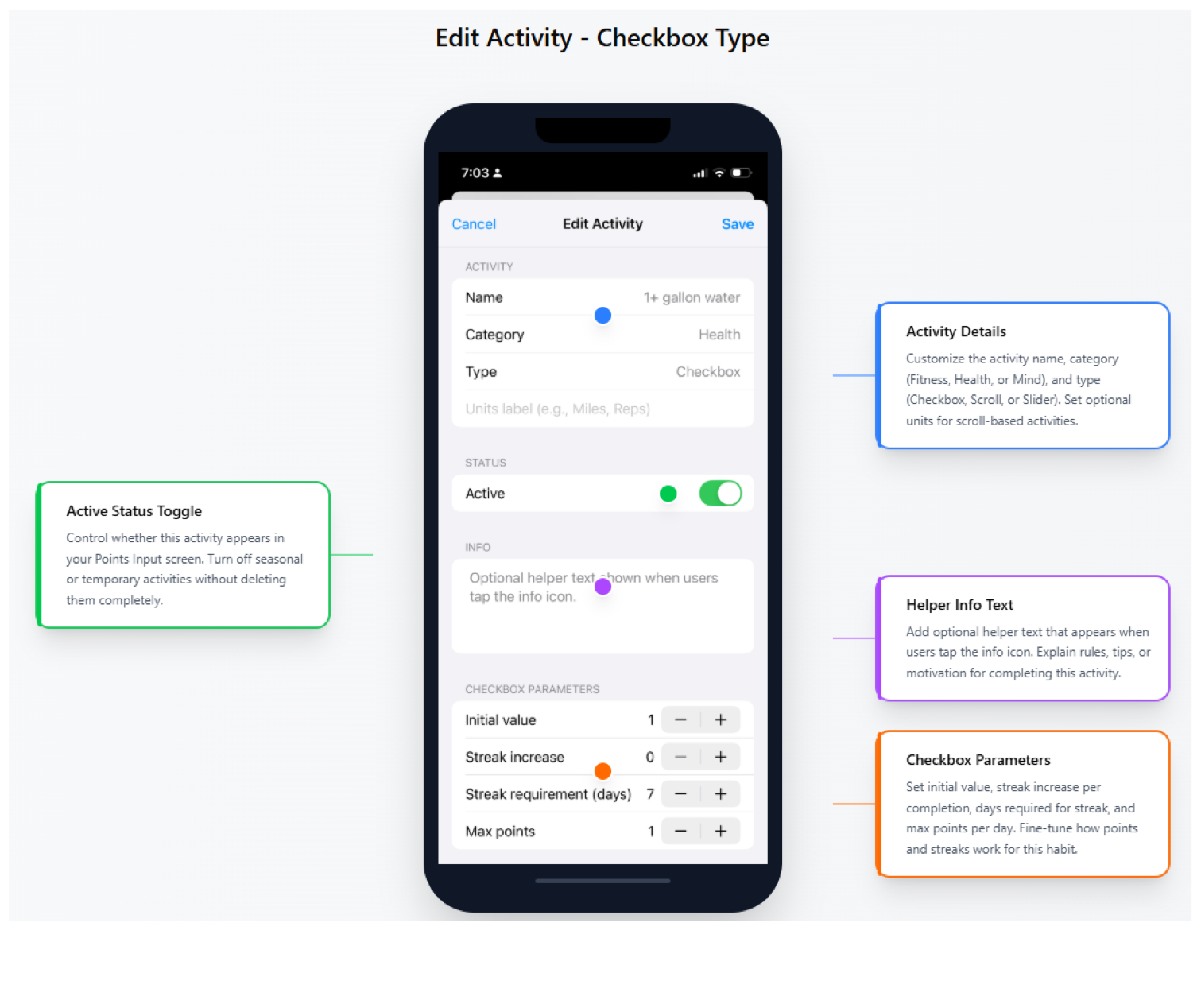
STEP 08
Set streak rules, point values, and activity details.
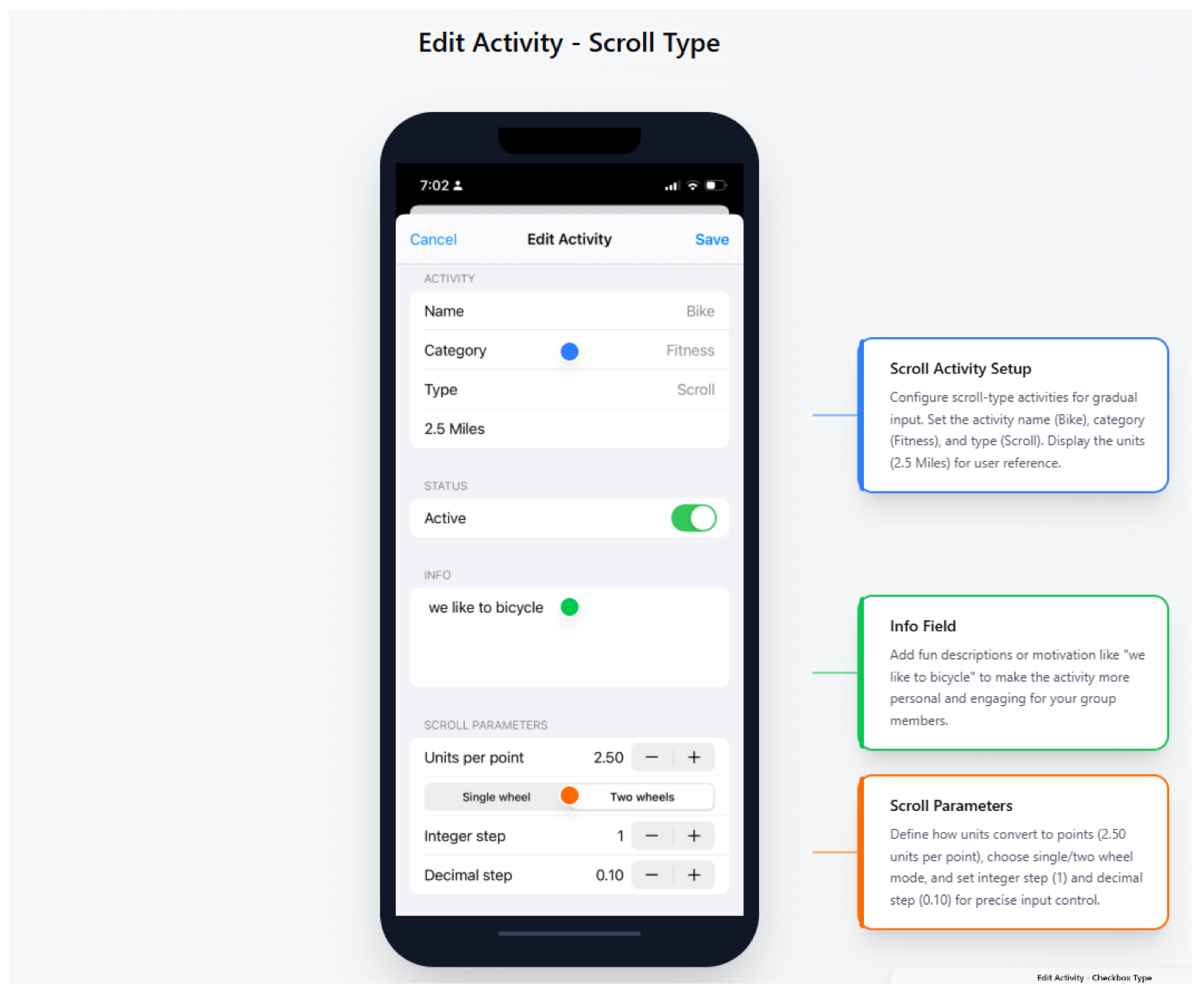
STEP 09
Configure units, steps, and points for measured activities.
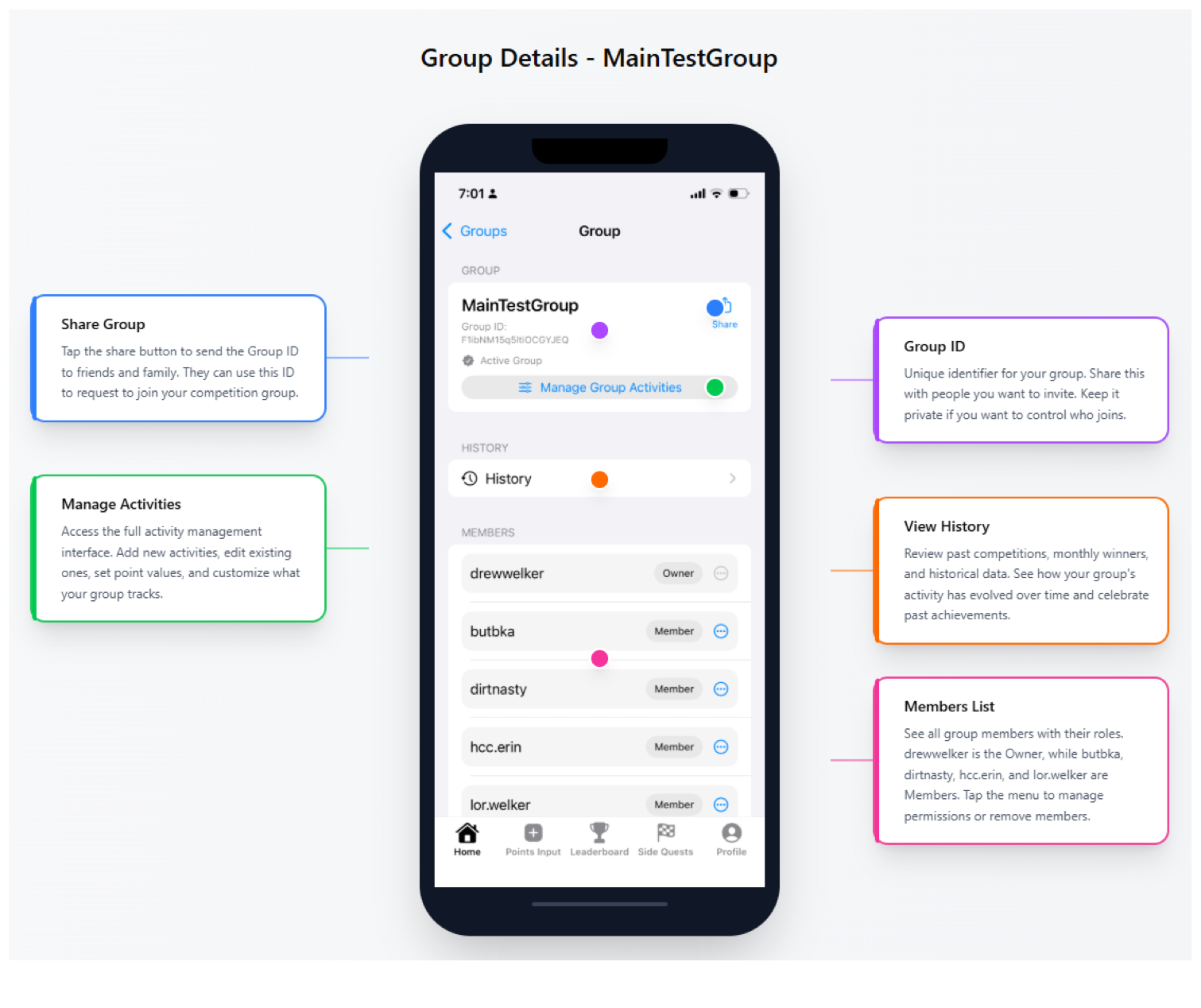
STEP 10
Share your group, view history, and manage members.
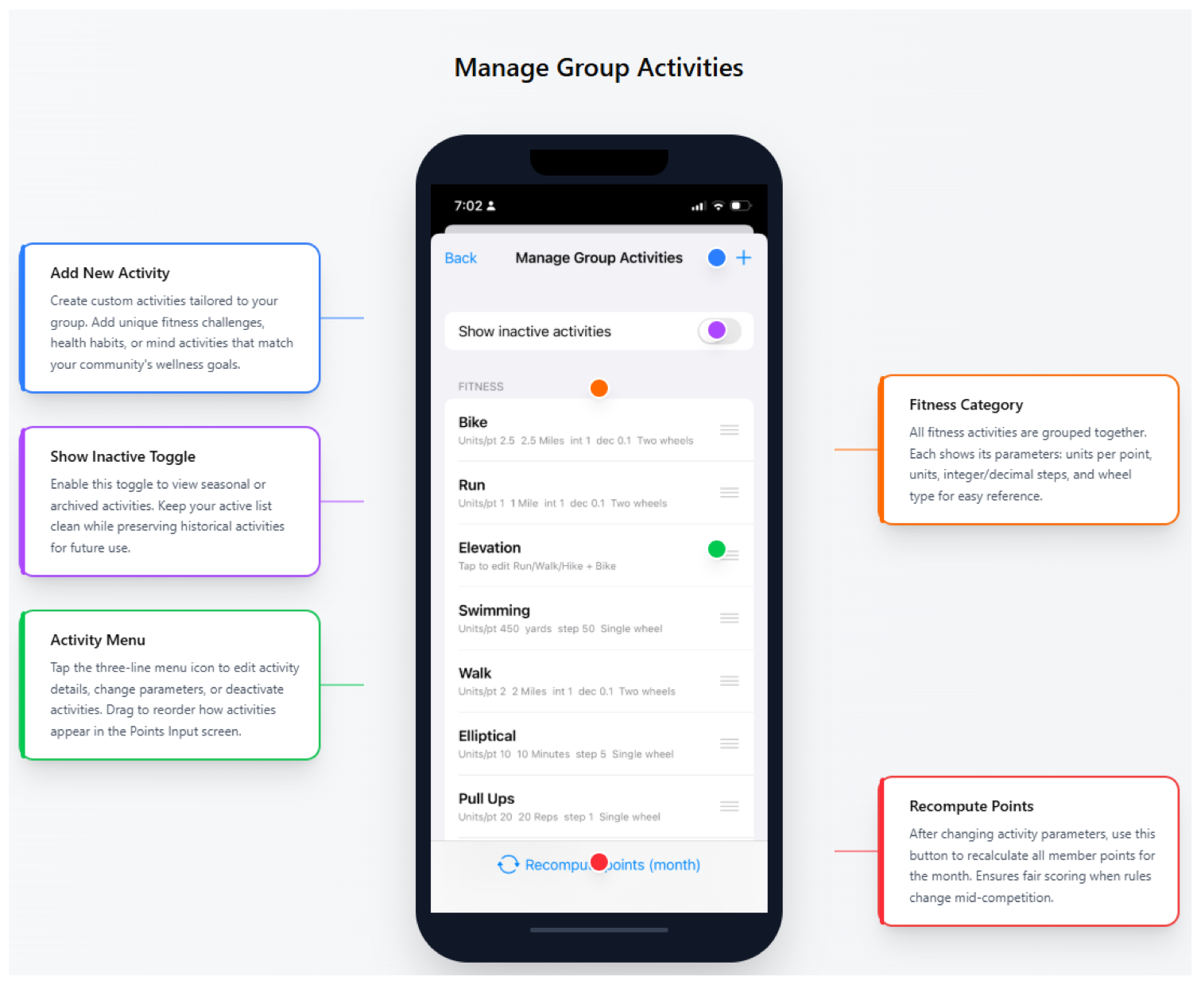
STEP 11
Add, edit, reorder, and recompute activities for your group.
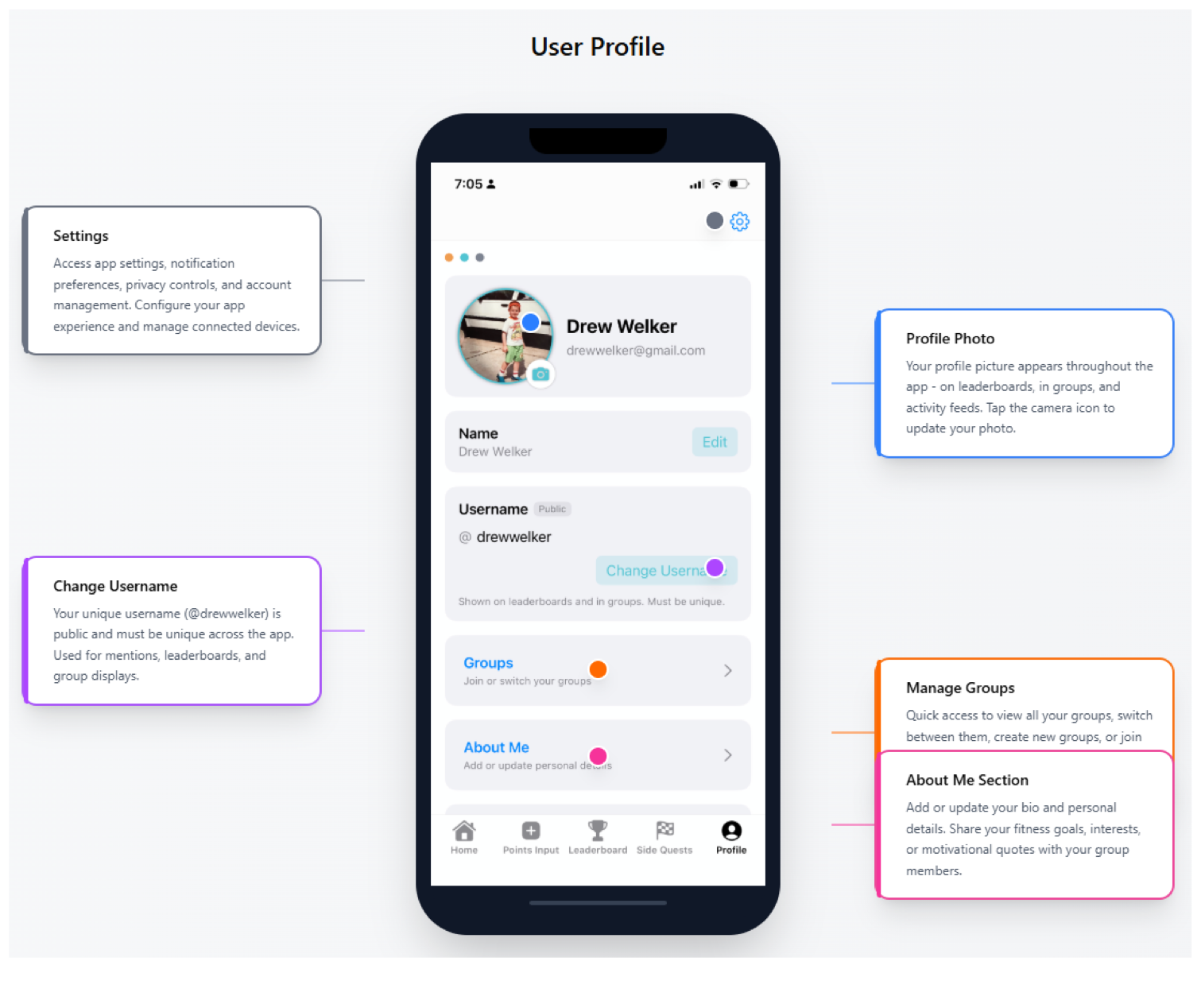
STEP 12
Update your profile, username, settings, and groups.
STILL HAVE A QUESTION?
Send us a note and we’ll help you get back on track.
Contact support